An editor working with color correction and grading techniques on a vibrant portrait.

How to Edit Photos Like a Pro

How to Edit Photos Like a Pro: Essential Tips for Stunning Images

Editing photos is a powerful way to bring your images to life, enhance details, and make them stand out. Whether you’re a beginner or looking to refine your skills, understanding professional photo editing techniques can help you achieve stunning results. This guide covers essential tips and techniques to edit photos like a pro, giving you the tools to elevate your photography.

Step 1: Choose the Right Editing Software

The first step in professional photo editing is selecting the right software. Many options offer unique features for various editing needs, from basic adjustments to advanced retouching.

  • Adobe Photoshop: Known for its powerful capabilities, Photoshop is ideal for detailed edits, including layering, retouching, and creating artistic effects.
  • Adobe Lightroom: Great for batch processing and global adjustments like color correction and exposure, Lightroom is a go-to tool for photographers.
  • Affinity Photo: An affordable alternative to Photoshop, Affinity offers similar functionality without a subscription.

Quick Tip: Familiarize yourself with keyboard shortcuts to speed up your workflow in any editing software.

Step 2: Adjust Basic Settings

Start with basic adjustments to improve the photo’s exposure, contrast, and overall look. These settings help balance the image and create a solid foundation for further editing.

  • Exposure: Adjust exposure to control the brightness. Aim for a well-balanced exposure that retains detail in both highlights and shadows.
  • Contrast: Increasing contrast can add depth, but use it sparingly to avoid over-saturation or harsh shadows.
  • White Balance: Adjust the white balance to ensure accurate colors. This is especially important if your photo has a color cast due to lighting conditions.

Pro Tip: Use the histogram to understand exposure levels. Aim for a balanced histogram that doesn’t skew too far left (underexposed) or right (overexposed).

Step 3: Master Color Correction and Grading

Color correction and grading enhance the mood and style of your photos. Adjusting colors can make a huge difference in how a photo looks and feels.

  • Hue, Saturation, and Luminance (HSL): Use HSL sliders to fine-tune colors, making them more vibrant or muted. This technique is especially useful for adjusting skin tones, skies, and backgrounds.
  • Temperature and Tint: Adjust the warmth (temperature) to make your photo feel cooler or warmer. Tint adds a green or magenta cast, helpful for achieving a specific look.
  • Curves Tool: The curves tool allows for precise color adjustments and can add contrast. Adjust RGB channels individually to create unique color effects.

Color Grading Tip: For a cinematic feel, try adding warm tones to highlights and cooler tones to shadows. This contrast in colors adds a professional look.

Step 4: Sharpening and Noise Reduction

Sharpening improves image clarity, while noise reduction helps remove unwanted graininess, especially in low-light photos.

  • Sharpening: Apply sharpening selectively to bring out details, but avoid over-sharpening as it can create unnatural edges.
  • Noise Reduction: In Lightroom, the Noise Reduction tool smooths out noise. Use it minimally to maintain detail, especially in skin tones.

Expert Tip: Use masking when sharpening to apply the effect only to specific areas. This technique is helpful for portraits, where you might want to sharpen the eyes but not the skin.

Step 5: Use Dodge and Burn for Enhanced Detail

Dodging and burning are classic techniques that add depth and dimension to a photo by selectively brightening or darkening areas.

  • Dodge (Brighten): Lighten specific areas to draw attention. This works well on highlights in the eyes, cheekbones, and other focal points.
  • Burn (Darken): Darken certain parts to add depth, often used to emphasize shadows and create a more dramatic effect.

Dodge and Burn Tip: In Photoshop, use the dodge and burn tools on a new layer set to overlay mode for non-destructive editing.

Step 6: Retouching for a Flawless Finish

Retouching refines the details of your photo, making it look polished and professional. Focus on elements like skin, blemishes, and distracting elements.

  • Clone Stamp and Healing Brush: Use these tools to remove blemishes, stray hairs, or unwanted objects in the background. The healing brush is ideal for seamless blending.
  • Frequency Separation: For advanced retouching, frequency separation divides the image into texture and color layers, allowing you to edit one without affecting the other. This is especially useful for skin retouching.

Pro Tip: For portraits, avoid over-smoothing the skin; a natural texture is key to retaining a realistic look.

Step 7: Final Adjustments and Export Settings

Before exporting, add any final touches to ensure your image is polished and ready to share.

  • Vignette: A subtle vignette can draw attention to the subject, especially in portraits. Be mindful not to overdo it.
  • Crop and Straighten: Crop for composition and remove distracting elements from the edges. Straightening helps ensure horizons and other lines are level.
  • Export Settings: Export at a high resolution for print or web use. For social media, use optimized settings to balance quality and file size.

Export Tip: For online sharing, export in sRGB color space, as it’s widely supported across digital platforms.


Why Professional Photo Editing Matters

Editing photos like a pro takes practice and a good understanding of tools and techniques. It transforms an ordinary photo into a work of art, highlighting your creative vision. By mastering these editing techniques, you’ll be able to bring out the best in your photos, capturing the beauty and emotion of each shot.

A designer working on an e-commerce platform interface on a laptop.

How to Successfully Launch Your Online Business?

How to Successfully Launch Your Online Business

Starting an online business is a rewarding endeavor, but it requires strategic planning, the right tools, and a well-executed launch strategy to make a significant impact. In this guide, we’ll cover essential steps to help you launch your online business successfully, attract your target audience, and set up for sustainable growth.

Step 1: Define Your Business Idea and Target Market

A successful online business begins with a clear idea and understanding of your target market. Research your niche to ensure there’s demand, analyze competitors, and identify what makes your business unique.

  • Identify Pain Points: Understand the problems your target audience faces and how your product or service will solve them.
  • Validate Your Idea: Use surveys, interviews, or online tools like Google Trends and SEMrush to validate demand.
  • Define Your Unique Selling Proposition (USP): Determine what sets you apart from competitors and how you can add value to your customers.

Tip: Look for gaps in the market that your business can fill—this is where your unique opportunity lies.

Step 2: Develop a Comprehensive Business Plan

A business plan acts as your roadmap, detailing every aspect of your business, from financial projections to marketing strategies. It provides direction and can help secure funding if needed.

  • Mission and Vision: Clearly state your business’s purpose and long-term goals.
  • Revenue Model: Identify how your business will make money—will you sell products, offer services, or leverage affiliate marketing?
  • Budget and Financial Projections: Outline startup costs, projected revenue, and ongoing expenses.

Pro Tip: Use resources like Business Model Canvas or online templates to organize your business plan effectively.

Step 3: Choose the Right Platform for Your Online Store

Choosing the right platform is crucial as it impacts your site’s performance, user experience, and overall scalability. Popular e-commerce platforms include Shopify, WooCommerce, and Magento, each with its unique features.

  • Shopify: Ideal for beginners, offering a straightforward setup and a range of customizable templates.
  • WooCommerce: A great choice if you’re using WordPress, providing extensive plugin options and flexibility.
  • Magento: Suitable for larger businesses with more complex needs, though it requires technical expertise to manage.

Platform Selection Tip: Consider factors like ease of use, customization options, and scalability when choosing a platform.

Step 4: Design a User-Friendly Website

Your website is the face of your online business. It should be visually appealing, easy to navigate, and optimized for user experience.

  • Choose a Clean, Responsive Design: Ensure your site is mobile-friendly as mobile traffic constitutes a large portion of online shoppers.
  • Optimize for Speed: Slow-loading pages can increase bounce rates. Optimize images, use efficient coding, and consider a Content Delivery Network (CDN).
  • Clear Call-to-Action (CTA): Guide users to take action, whether it’s making a purchase, signing up for a newsletter, or contacting you for services.

SEO Note: Integrate relevant keywords in your website copy and meta tags to enhance search engine visibility.

Step 5: Develop a Marketing Strategy

A solid marketing strategy is essential to drive traffic to your website and attract customers. Employ a mix of organic and paid methods to maximize your reach.

  • Search Engine Optimization (SEO): Optimize product pages, blog content, and meta descriptions for target keywords to rank higher in search results.
  • Social Media Marketing: Platforms like Instagram, Facebook, and Pinterest are powerful tools for promoting products and engaging with customers.
  • Email Marketing: Build an email list to nurture leads and keep your audience updated on new products, promotions, and valuable content.
  • Paid Advertising: Consider running targeted ads on Google, Facebook, or Instagram to increase visibility, especially during the initial stages.

Content Strategy Tip: Create valuable content such as blog posts, how-to guides, or videos that address your audience’s questions and provide solutions.

Step 6: Set Up Secure Payment and Shipping Options

Secure and convenient payment and shipping options can make or break an online business. Provide multiple payment methods to accommodate different customer preferences.

  • Popular Payment Gateways: Use trusted gateways like PayPal, Stripe, and Square to ensure secure transactions.
  • Shipping Solutions: Offer various shipping options (standard, express, international) and consider partnering with reliable logistics providers.

Customer Experience Tip: Provide real-time order tracking and clear shipping policies to build trust and improve customer satisfaction.

Step 7: Launch Your Business and Monitor Performance

Your launch day is a milestone, but it’s just the beginning. Track performance metrics to understand what’s working and where you can improve.

  • Analytics: Use Google Analytics or similar tools to monitor traffic, conversions, and user behavior.
  • Feedback Loop: Encourage customer feedback and reviews to gain insights into what customers appreciate and where you can improve.
  • Adapt and Scale: Based on performance, adjust your strategy and consider scaling by expanding your product line, audience reach, or marketing efforts.

Pro Tip: Run a soft launch to test your website, gather initial feedback, and resolve any issues before a full-scale launch.

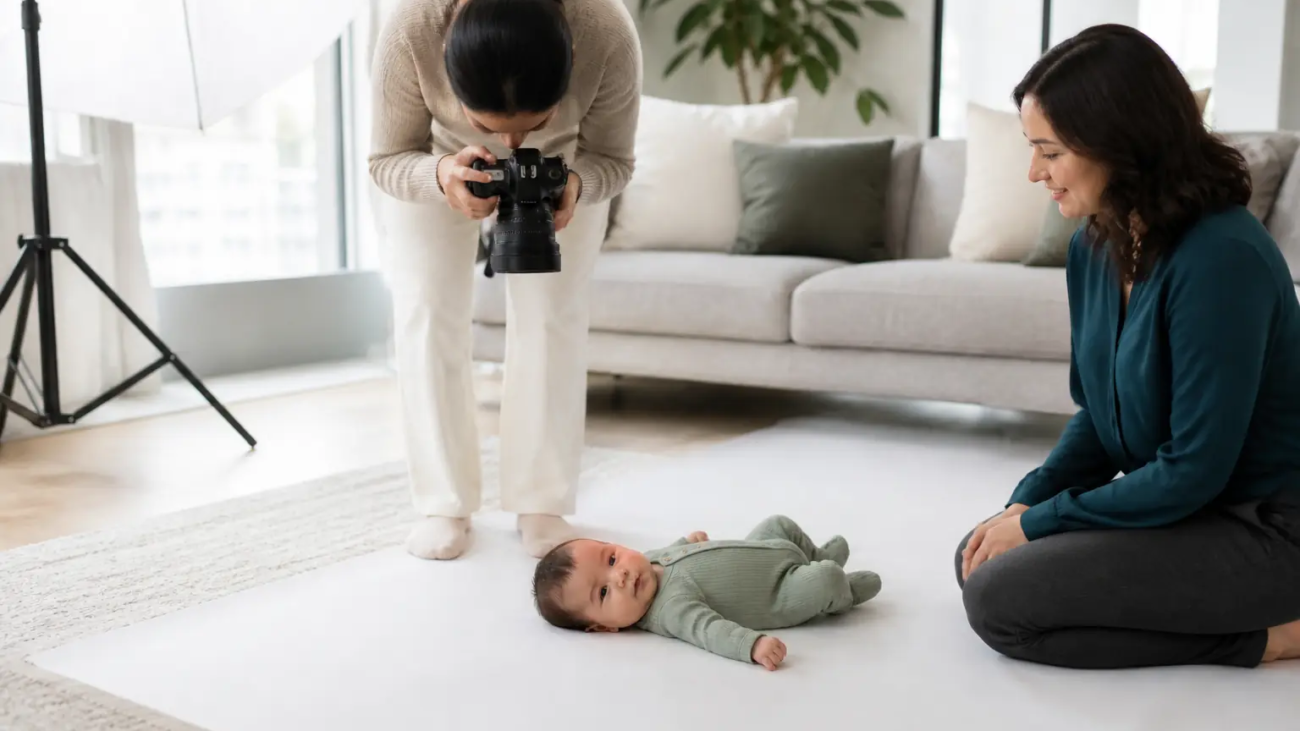
Photographer capturing a family portrait session in the comfort of their home.

In-Home Portrait Photography Services

In-Home Portrait Photography Services

Welcome to Green Day Photography—where comfort, creativity, and personal moments merge to create the ultimate in-home portrait experience. We bring the studio to your doorstep, making it easier than ever for you to capture the essence of what makes your family unique. Whether it’s a family gathering, celebrating your newborn’s first moments, or simply updating your professional headshots in the comfort of your home, our in-home portrait services cater to all your photography needs.

Why Choose In-Home Portraits?

In-home portrait photography has become increasingly popular for its natural, relaxed atmosphere. You don’t need to worry about traveling, dealing with a hectic studio, or feeling uncomfortable in unfamiliar settings. Instead, you can be at ease in the space you know best—your own home. This allows for authentic smiles, genuine moments, and photos that reflect your everyday life. We work with you to create the perfect environment using natural light or our professional lighting setup to ensure each shot beautifully captures your story.

Tailored Photography for Every Family

At Green Day Photography, we believe that every family is unique, and your portraits should reflect that uniqueness. Our experienced photographers take the time to understand your vision, whether it’s casual lifestyle shots that capture the beauty of everyday moments or more formal portraits that make a statement. We bring props, backdrops, and all the necessary equipment to transform your home into a professional photoshoot setting—while still preserving the cozy feeling of your personal space.

The Process

We make the entire process simple and stress-free. Here’s how it works:

  1. Consultation – We begin with a discussion to understand your goals, style preferences, and vision for the photoshoot. This helps us plan everything from outfits to props to make sure your session is perfectly customized.
  2. The Photoshoot – On the day of the shoot, our team arrives at your location, sets up, and captures beautiful moments. We guide you through the session while allowing natural moments to unfold, capturing candid smiles, laughter, and everything in between.
  3. Editing and Delivery – After the shoot, our expert editors enhance the photos to create stunning portraits that bring your vision to life. You’ll receive both digital copies and the option for high-quality prints to showcase in your home.

Benefits of In-Home Portrait Photography

  • Comfort: Stay comfortable in your own space, surrounded by loved ones, pets, and familiar settings.
  • Convenience: Save time by not having to travel to a studio. We come to you, making it easy for families with young children or tight schedules.
  • Customization: Your home is a unique reflection of who you are. Use your favorite corners, decor, and natural surroundings to make the photos truly personal.

Book Your In-Home Portrait Session Today

Don’t let precious moments slip away. Contact Green Day Photography today to schedule your in-home portrait session and create timeless memories that you will cherish for a lifetime. Our friendly and professional photographers are dedicated to making your experience enjoyable and capturing stunning portraits that reflect who you are.

Let us transform your home into a gallery of memories—one portrait at a time.

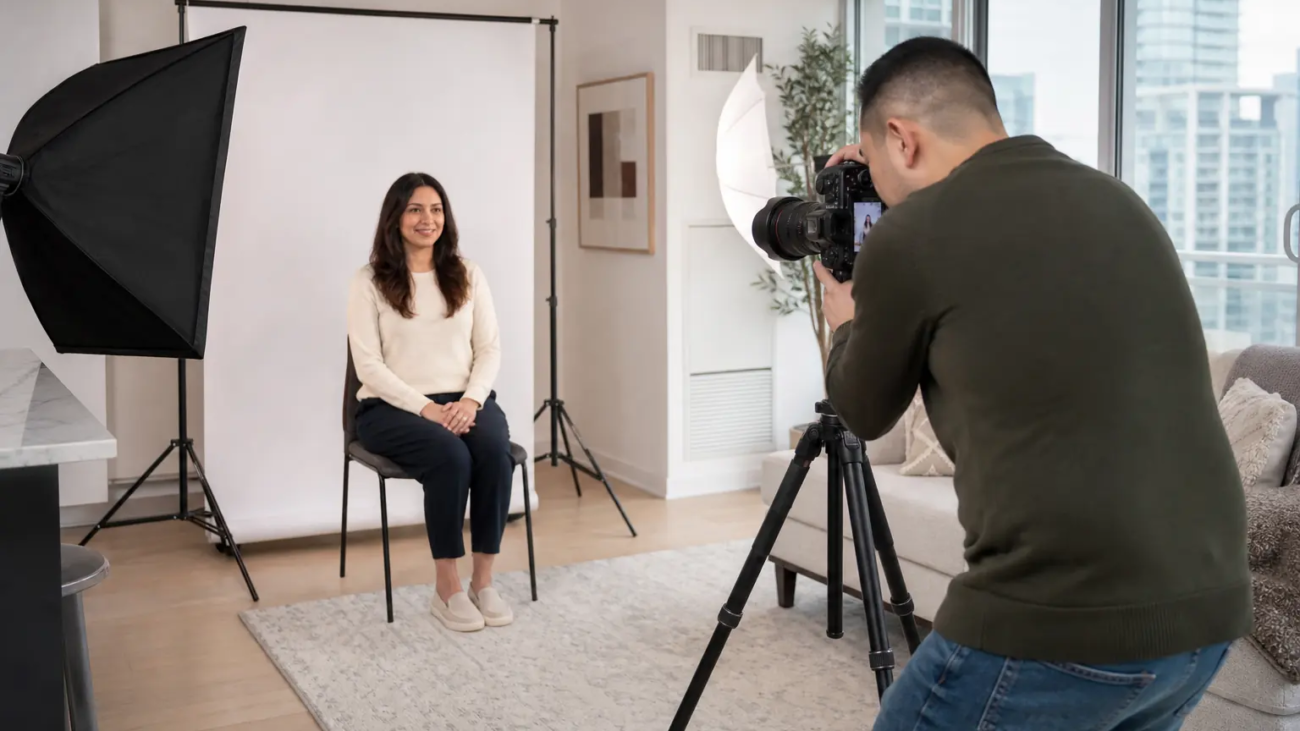
Studio portrait showing the use of softbox lighting for soft shadows.

Portrait Photography Techniques

Mastering Portrait Photography Techniques: Tips for Stunning Results

Portrait photography is an art form that requires both technical skill and a creative eye. Capturing the essence of a person in a single frame can tell a story, evoke emotion, and create a lasting impression. Whether you’re a seasoned photographer or just getting started, mastering key techniques in portrait photography can elevate the quality of your work. This guide dives into essential techniques to help you capture breathtaking portraits.

1. Choosing the Right Lens and Focal Length

Selecting the right lens is foundational in portrait photography. Prime lenses with a focal length between 85mm and 135mm are popular choices as they reduce distortion and bring out facial features naturally.

  • 85mm lens: Great for close-up portraits, delivering a flattering depth of field with soft background blur (bokeh).
  • 50mm lens: Offers versatility and a natural field of view. It’s a fantastic lens for beginners and works well in both close and mid-range shots.

Tip: Experiment with different focal lengths to see how they affect the subject’s features and the overall feel of your portrait.

2. Mastering Aperture and Depth of Field

Portraits benefit greatly from a shallow depth of field, which keeps the subject in sharp focus while blurring the background. Using a wide aperture (like f/1.8, f/2.8) helps isolate your subject from distracting backgrounds, making them the clear focus of the image.

  • Wide Aperture (f/1.2 to f/2.8): Ideal for creating a creamy bokeh effect and isolating the subject.
  • Narrower Aperture (f/4 to f/8): Useful for group portraits or when including background details as part of the narrative.

Quick Guide: For individual portraits, an aperture between f/1.8 and f/2.8 works well, while for group portraits, an aperture around f/5.6 to f/8 keeps everyone in focus.

3. Utilizing Natural and Artificial Light

Lighting can make or break a portrait. Understanding how to use natural and artificial lighting helps create different moods and highlights key facial features.

  • Golden Hour: The hour after sunrise or before sunset provides soft, warm, and diffused lighting. It’s ideal for natural-looking portraits with a gentle glow.
  • Window Light: For indoor shoots, window light is an excellent source of soft, diffused light. Place the subject close to a window to create a natural yet flattering light on the face.
  • Fill Light: Use a reflector or fill light to reduce harsh shadows, especially in outdoor settings or high-contrast indoor lighting.

Pro Tip: In studio photography, play with softboxes and umbrella lights to create a balanced and diffused light that mimics natural sunlight.

4. Composition Techniques to Elevate Your Portraits

Composition in portrait photography directs the viewer’s attention to the subject while creating a visually pleasing image. Here are some key techniques:

  • Rule of Thirds: Place the subject along one of the grid lines or intersections for a balanced yet dynamic composition.
  • Leading Lines: Use elements like walls, pathways, or fences to lead the viewer’s eye toward the subject.
  • Negative Space: Don’t be afraid of blank or out-of-focus space around the subject; it can enhance focus and emotion.

Experimentation: Try different angles—such as shooting slightly above or below eye level—to add a unique perspective to your portraits.

5. Posing Techniques and Creating Comfort

A relaxed subject translates into more authentic and expressive portraits. Guide your subject into natural poses and encourage them to move to capture candid expressions.

  • Angle and Head Tilt: Slightly tilting the head and shoulders can add dimension and interest to the portrait.
  • Hands and Arms Placement: Encourage the subject to avoid placing arms flat against their sides, which can make them appear wider. Instead, guide them to relax and slightly bend their arms.
  • Eye Line: Directing the subject’s gaze can evoke different emotions—looking into the camera for connection, or looking away for introspective shots.

Comfort First: Build rapport with the subject to help them feel at ease, resulting in more genuine and natural-looking portraits.

6. Capturing Emotion and Personality

Portrait photography goes beyond technical precision—it’s about capturing the soul and personality of the subject. To achieve this, engage with your subject and encourage them to share personal stories or memories to bring out authentic expressions.

  • Candid Moments: Sometimes, the best portraits are captured in moments when the subject is relaxed and not overly posed.
  • Expression: Focus on capturing a range of emotions, from a subtle smile to serious contemplation, to add depth to the portrait.

Connection Over Perfection: A technically perfect photo is valuable, but a photo that conveys emotion and tells a story is unforgettable.

7. Post-Processing Techniques

Post-processing allows you to enhance and refine your portraits, bringing out subtle details and emphasizing the subject’s features.

  • Color Correction: Adjust white balance and exposure to achieve natural skin tones.
  • Dodging and Burning: Use these techniques to subtly enhance highlights and shadows, giving the portrait depth.
  • Skin Retouching: Keep retouching natural to maintain the authenticity of the portrait. Aim to soften without completely eliminating texture.

Editing Tip: Aim for a subtle approach in editing to maintain the subject’s natural look while enhancing the portrait’s overall aesthetic.

Why Portrait Photography Matters

Portrait photography is a powerful medium for storytelling. It captures the personality, emotions, and essence of an individual, creating images that are deeply personal and meaningful. Mastering these techniques will not only improve your skills but also enable you to connect with your subjects on a deeper level.

Toronto studio specializing in birthday photography with customizable backgrounds and props

Birthday Photography Studios in Toronto

Looking for the top birthday photography studios in Toronto? Our studio provides professional, high-quality birthday photo sessions to capture every unforgettable moment of your special day

Birthdays aren’t just for kids—celebrating significant life milestones as an adult is a unique and valuable experience. Whether you’re marking your 30th, 50th, or any other memorable age, capturing these moments professionally makes the occasion even more unforgettable. As one of the top birthday photography studios in Toronto, Green Day Photography specializes in creating stunning, personalized birthday photoshoots for adults in Toronto, Richmond Hill, and North York. Our goal is to preserve these cherished memories with a perfect blend of creativity, style, and professionalism.

Why Choose Professional Adult Birthday Photography?

With each year, birthdays evolve into more than a number. They signify growth, achievements, and new life chapters. Celebrating these moments with professional photography ensures you’ll have beautiful memories to reflect on for years to come. Whether it’s a grand event or an intimate gathering, capturing these moments professionally lets you relive the joy, laughter, and love shared with family and friends. Professional adult birthday photos aren’t just images—they’re keepsakes that encapsulate the essence of these meaningful celebrations.

Top Location Picks in Toronto, Richmond Hill, and North York

The setting for your photoshoot significantly influences the tone and overall aesthetic of your photos. Each city offers unique backdrops to complement your style and preferences.

  • Toronto: Known for its vibrant urban atmosphere, Toronto offers a mix of iconic backdrops. Downtown Toronto’s skyline, historic districts, and serene parks like High Park are ideal for versatile photoshoots. From chic urban scenes to natural landscapes, Toronto has it all.
  • Richmond Hill: For those who love a touch of nature, Richmond Hill’s picturesque spots such as Mill Pond Park and Richmond Green provide a charming, natural backdrop. With abundant greenery and water features, Richmond Hill adds a serene touch to your birthday photos.
  • North York: This area blends urban sophistication with suburban charm. With options like the historic Black Creek Pioneer Village and the architectural marvel of the Aga Khan Museum, North York offers versatile locations for diverse photoshoot styles.

Personalized Photoshoots to Match Your Personality

At Green Day Photography, we understand that each individual is unique, and your birthday photos should reflect your personality. We collaborate with you to tailor the shoot to your style and vision, creating a memorable and enjoyable experience.

  • Themed Photoshoots: Have a specific theme in mind? Whether you want a vintage, glam, or minimalist look, we work with you to select the best location, outfits, and props to bring your vision to life.
  • Casual and Candid: Prefer a relaxed vibe? Our team captures candid moments that reveal your natural personality. Whether you’re laughing with friends or enjoying a favorite activity, these shots capture the genuine joy of your celebration.
  • Elegant and Formal: For milestone birthdays, an elegant photoshoot may be in order. From sophisticated dresses and tuxedos to luxurious venues, we help you create a polished, high-class experience that matches the importance of the occasion.

Style Tips for Your Birthday Photoshoot

Choosing the right attire is key to creating cohesive, stylish images. Here are some pointers to help you look your best:

  • Dress for the Setting: Match your attire to the shoot’s location and theme. A casual outdoor shoot calls for comfortable yet stylish attire, while a formal indoor setting may require elegant or chic outfits.
  • Color Coordination: Choose colors that complement your location. Earth tones blend well with nature, while bold colors pop in urban settings, adding vibrancy to the photos.
  • Accessorize Thoughtfully: Accessories can enhance your personality in the images. Consider hats, scarves, or even playful props like balloons for a fun twist.
  • Comfort First: While style is important, comfort ensures a more natural look. The more at ease you feel, the more confident you’ll appear in the photos.

Why Green Day Photography is Your Top Choice for Adult Birthday Photography

At Green Day Photography, we pride ourselves on delivering exceptional photography experiences tailored to your needs. Our team is dedicated to making your birthday photoshoot stress-free and enjoyable. We bring creativity, expertise, and a meticulous eye for detail, ensuring that each shot captures the essence of your celebration.

Whether you’re in Toronto, Richmond Hill, or North York, we bring local knowledge and professional expertise to make your birthday photoshoot a success. From choosing the right location to guiding you through poses and styling, we work to make your vision a reality.

Contact Green Day Photography and Book Your Photoshoot Today!

Celebrate your birthday in style with a professional photoshoot that captures the milestones that matter. Green Day Photography is here to create beautiful, lasting memories that you’ll cherish for a lifetime. If you’re in Toronto, Richmond Hill, or North York, reach out to us today to book your adult birthday photoshoot and start planning a day you’ll never forget.


Birthday Photography Studios in Toronto

Detailed guide to Canadian passport photo specifications

Canadian Passport Photo Size

Canadian Passport Photo Size

When you apply for your Canadian passport, you need to get the photo right. The Canadian government has specific requirements for passport photos, and if you do not meet these standards, they will reject your application. This can cost you time and delay your travel plans. At Green Day Photography, we ensure you get it right the first time. Here’s a comprehensive guide to make sure your passport photos comply with all the necessary standards.

Official Size Requirements for Canadian Passport Photos

Canadian passport photos must be 50 mm (5 cm) wide by 70 mm (7 cm) high. This size is larger than typical passport photos for many other countries, so you need a professional studio that understands the exact specifications required by the Canadian government. Here are the key requirements for a Canadian passport photo:

  • Size: 50 mm (width) x 70 mm (height) or 5 cm x 7 cm.
  • Face Height: The height of the face—from the chin to the top of the head—must be between 31 mm and 36 mm.
  • Background: Use a plain white or light-colored background, with no shadows or patterns.
  • Quality: We use high-quality photo paper (either matte or glossy) to print your photo with no pixelation, glare, or defects.

More Than Just Dimensions: The Details That Matter

Getting the size right is just one part of the equation. You also need to consider several other important factors:

  1. Lighting: Proper lighting is crucial for passport photos. Make sure the light is even, without creating harsh shadows on your face or background. At Green Day Photography, we use professional lighting setups to ensure optimal quality.
  2. Facial Expression: Canadian passport guidelines require a neutral facial expression. Smiling with your mouth closed is acceptable, but exaggerated expressions—such as big smiles, frowns, or raised eyebrows—are not. Keep your eyes open and clearly visible, without glare from glasses.
  3. Attire: Avoid uniforms or clothing that resembles a uniform. Bright colors are acceptable, but try to avoid white or light colors that might blend in with the background. You can wear head coverings for religious or medical reasons, but they must not obscure any part of your face.
  4. Glasses and Accessories: Glasses are generally not recommended for passport photos. If you wear them, make sure your eyes are clearly visible and free of glare. Do not wear accessories like hats, headphones, or anything that obstructs your face.

Common Mistakes to Avoid

Many people have their passport photos rejected due to simple mistakes that are easy to avoid if you know what to look for. Here are some of the most common pitfalls:

  • Incorrect Dimensions: The government will reject photos that do not measure exactly 50 mm x 70 mm.
  • Shadows on the Face or Background: Shadows can lead to photo rejection. Make sure the light is distributed evenly across your face and background.
  • Poor Quality Prints: We use high-quality photo paper without any scratches, smudges, or pixels. Low-quality prints often lead to rejection.
  • Expression Not Neutral: Smiling too broadly or not maintaining a neutral expression can cause issues with acceptance.

Why Choose Professional Services for Your Canadian Passport Photo?

Although you can take a passport photo at home, using a professional studio offers several benefits that ensure your photo meets the stringent guidelines set by the Canadian government. At Green Day Photography, we provide:

  • Guaranteed Compliance: We stay updated with the latest requirements to ensure that your photo always meets the standards.
  • High-Quality Equipment: We use professional cameras, lighting, and printing equipment that deliver consistent, high-quality results.
  • Expert Guidance: Our experienced photographers understand passport photography requirements and guide you through every step to avoid any issues.

FAQs About Canadian Passport Photos

1. Can I wear glasses for my passport photo?
Yes, but glasses are generally not recommended. If you wear them, make sure your eyes are clearly visible, without any reflections or glare.

2. Do I need to have a neutral expression?
Yes, you need a neutral expression. You can have a slight, closed-mouth smile, but nothing exaggerated.

3. What should I wear for my passport photo?
Avoid white or light colors that might blend with the background. Bright colors are acceptable, and head coverings are allowed only for religious or medical reasons.

Get Your Passport Photo Done Right the First Time

At Green Day Photography, we make the passport photo process easy and stress-free. We ensure that your photo meets all the required standards, so you can focus on your travel plans without worrying about delays. Our professional service is quick, efficient, and tailored to meet all government regulations.

Ready to get your passport photo taken? Contact Green Day Photography today and book your appointment. Let us help you take the stress out of getting your Canadian passport photo approved.

You can also use our at-home passport photo service in Toronto for a convenient solution.

Canadian Passport Photo Size

At-home passport photography for an elderly subject, with a white backdrop and professional lighting setup, creating a relaxed and welcoming environment.

Passport Photography at Home

Getting your passport photo taken at home has never been easier or more convenient. With Green Day Photography, we bring professional-level passport photography services right to your doorstep. Forget waiting in lines, traveling to a studio, or stressing over getting the perfect shot. Instead, you can enjoy the comfort and ease of having your passport photos taken in your own space by experienced photographers who know how to meet every requirement set by the Canadian government.

Why Choose In-Home Passport Photography?

Imagine the convenience of not having to leave your home for something as important as a passport photo. At Green Day Photography, we make it possible by bringing all the necessary equipment directly to you. Our in-home passport photography service offers several key benefits:

  1. Comfort and Convenience: You can stay in your comfortable clothes and get your photo taken right in your living room. This service is particularly helpful for families with young children or individuals with mobility challenges.
  2. Stress-Free Experience: Getting passport photos at a busy studio can feel overwhelming. However, with our in-home service, there’s no pressure. We take our time to ensure the lighting, angle, and expression are perfect.
  3. Professional Quality: Don’t compromise on quality just because you’re at home. We bring professional lighting, a high-resolution camera, and a variety of backgrounds to ensure your photo meets all government standards. Moreover, our expertise ensures that you won’t face the frustration of photo rejection due to incorrect specifications.

How Our Service Works

Booking an in-home passport photography session with us is simple. Here’s how it works:

  1. Schedule Your Appointment: First, contact us to book a convenient time. We offer flexible hours, including evenings and weekends, to accommodate your schedule.
  2. We Bring the Studio to You: Our photographer arrives with all the necessary equipment, including lighting, a camera, and a backdrop that meets passport requirements. We can use your home’s natural light if it’s suitable or set up our professional lights for the best results.
  3. Get Your Photo Taken: Next, the photographer will guide you on positioning yourself to meet all official standards, including keeping a neutral expression, removing any accessories, and maintaining proper posture.
  4. Review and Approval: After taking the photos, we review them with you to ensure you are satisfied with the results. Additionally, we verify that they meet the passport office’s strict requirements, so you won’t need to worry about rejections.
  5. Fast Delivery: Finally, we process and deliver the final photos either digitally or as prints—whichever you prefer. Our service ensures you receive your passport photos quickly and without hassle.

Benefits of Choosing Green Day Photography for In-Home Passport Photos

  • Guaranteed Compliance: Our team stays updated with the latest passport photo requirements, ensuring that every photo meets the standards of the Canadian government.
  • Personalized Service: We understand that every home is different, and we adapt our setup to your space to create the best possible outcome.
  • Time-Saving: You save time on travel and waiting by letting us come to you. We complete everything efficiently while still providing the highest quality.

Frequently Asked Questions

1. Can I take my own passport photo with my phone?
While it’s possible, most self-taken photos fail to meet strict government standards. Issues like improper lighting, incorrect dimensions, or unsuitable background often lead to rejection. Therefore, our professional service ensures compliance and saves you time and effort.

2. What should I wear for my passport photo?
Avoid white or light-colored clothing that may blend with the background. Instead, it’s best to wear a solid color that contrasts with the backdrop. Head coverings are allowed only for religious or medical reasons.

3. How long does the process take?
The entire session, including setup and photography, typically takes about 20 to 30 minutes. We focus on making the process as efficient as possible while ensuring quality.

Book Your In-Home Passport Photography Today

Why deal with the hassle of finding a studio, scheduling time out of your day, and hoping everything goes smoothly? Instead, let Green Day Photography bring professional passport photography right to your doorstep. Our service saves you time, provides comfort, and guarantees results that meet the highest standards.

Contact us today to schedule your in-home passport photo session and experience the ultimate convenience in passport photography.

Contact Us : greendayphotography@gmail.com

A flowchart showing the essential steps for starting a successful online business

The Ultimate Guide to Starting a Digital Business in 2024

The Ultimate Guide to Starting a Digital Business in 2024

If you’re thinking about starting a digital business in 2024, you’re tapping into one of the most promising opportunities of the decade. As digital tools and platforms evolve, more entrepreneurs are choosing to launch their businesses online. This guide will help you navigate the process, ensuring your journey to digital business success in 2024 is smooth and profitable.


How to Find the Right Niche for Your Digital Business?

Finding a profitable niche is crucial, yet it doesn’t have to be overwhelming. Start by researching market demand and identifying gaps that haven’t been filled. For example, tools such as Google Trends and SEMrush can provide insights into popular search terms and competitor activity. By focusing on these areas, you can carve out a unique space in the market.


How to Create a Detailed Business Plan?

Creating a solid business plan helps turn your vision into actionable steps. Not only should you set both short- and long-term goals, but you should also clarify your revenue model, target audience, and marketing approach. Furthermore, project management tools like Trello or Asana can assist in staying organized and tracking progress.


Choosing the Right Digital Business Model in 2024

The variety of digital business models available can be overwhelming. However, by exploring options such as e-commerce, affiliate marketing, and digital services, you can find the best fit for your strengths and resources. Those with minimal upfront capital might consider subscription-based or service-oriented models, which often require lower startup costs.


How to Build Your Digital Business Website?

Your website is the face of your business. Therefore, it’s important to create a professional and user-friendly online presence. Platforms like Shopify or WordPress make it easier than ever to get started, offering both flexibility and customization. Additionally, don’t forget to focus on user experience (UX) and mobile optimization as more than half of your potential customers will access your site via mobile devices.


How to Leverage Social Media for Business Growth?

In 2024, social media platforms like Instagram and TikTok will continue to be powerful tools for growing your digital business. By producing engaging content and fostering interaction with your audience, you can transform casual followers into loyal customers. Moreover, paid advertising options on these platforms allow you to reach a wider audience quickly.


How to Optimize Your Content for Google?

Content optimization is key to being found by your audience. Focusing on long-tail keywords and producing high-quality content will improve your Google ranking. Additionally, tools like Yoast SEO help in optimizing your posts and pages, making sure they align with SEO best practices. Consistently updating your website with fresh content also boosts your visibility.


How to Use Automation to Increase Productivity?

Automation can save time and streamline many aspects of your business. For instance, using tools like Mailchimp or HubSpot for marketing and Zendesk for customer service can enhance both productivity and customer experience. Automation reduces manual work, freeing up your time to focus on growth.


Conclusion

2024 is shaping up to be an exciting year for digital entrepreneurship. By following the steps in this guide, you can confidently take your first steps toward creating a successful business. While challenges will arise, staying focused and adaptable will ensure you achieve long-term success.

The Ultimate Guide to Starting a Digital Business in 2024

Bright and spacious living room with natural light highlighting the modern interior design

Best Real Estate Photography in Richmond Hill

Best Real Estate Photography in Richmond Hill

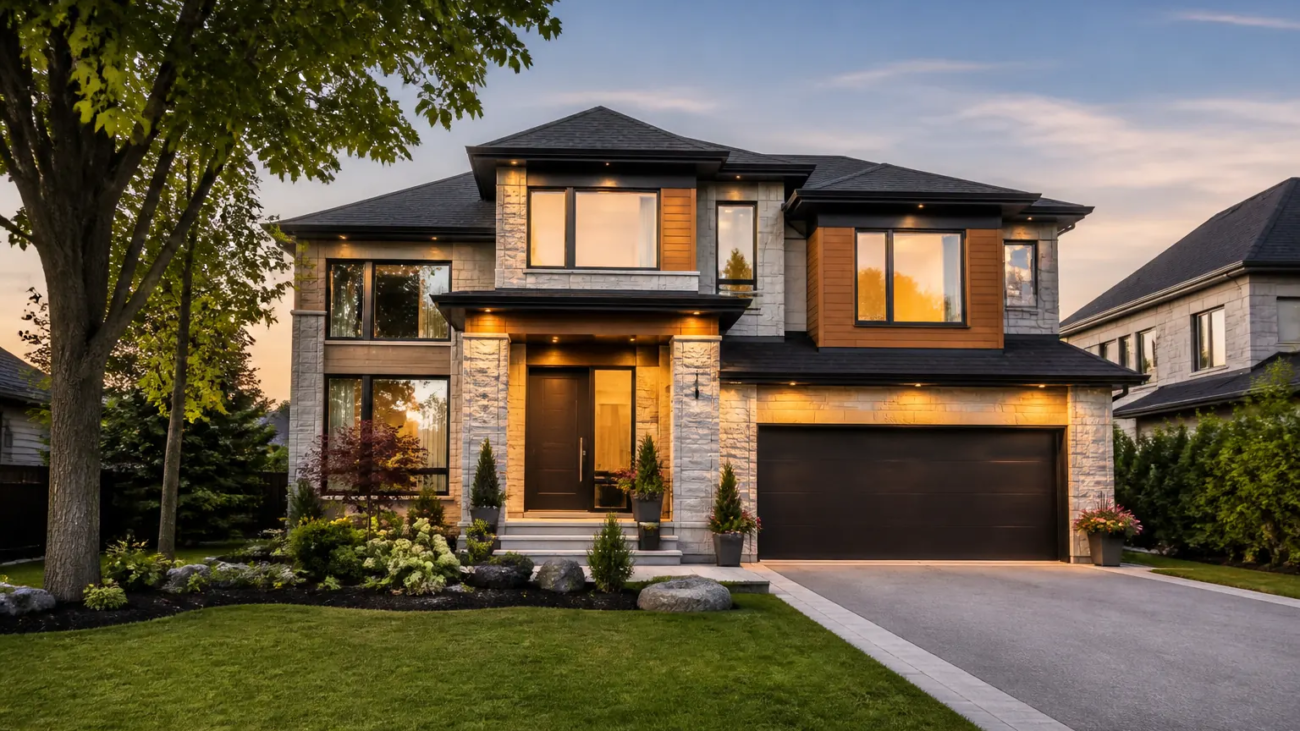
If you want to sell your property faster and at the best possible price, investing in professional real estate photography is one of the smartest decisions you can make. In Richmond Hill, professional photography not only helps showcase the unique features and beauty of your property but also creates a powerful first impression for potential buyers.

Why is Professional Real Estate Photography Important?

In the competitive Richmond Hill real estate market, high-quality images are often the first thing buyers notice. These images play a crucial role in attracting attention and encouraging potential buyers to schedule a visit. Professional photographers use their experience and expertise in lighting, perfect angles, and expert editing to create warm and inviting visuals that buyers can’t resist.

Aerial Photography and Virtual Tours

One of the newest and most popular features in real estate photography is drone aerial shots and 360-degree virtual tours. These techniques allow potential buyers to have a comprehensive and accurate view of the property, especially for larger estates with expansive grounds or stunning views. Offering such visuals can set your property apart and give buyers a more realistic experience of the space.

Highlight Unique Property Features

Every property has its own unique characteristics, whether it’s a modern kitchen, abundant natural light, or a beautifully landscaped backyard. Professional photography allows you to highlight these features in the best possible way. High-quality images capture all the key details and make the property feel more appealing, helping potential buyers envision themselves in the space.

Best Real Estate Photography in Richmond Hill

If you want to sell your property faster and at the best price, using professional real estate photography is key. In Richmond Hill, professional photography helps showcase your property’s unique features and creates a strong first impression for potential buyers.

Why Is Professional Real Estate Photography Important?

In a competitive market like Richmond Hill, high-quality images are often the first thing buyers notice. These images attract attention and encourage people to visit the property. Professional photographers use their experience in lighting, angle selection, and editing to create inviting visuals that captivate buyers.

Aerial Photography and Virtual Tours

Drone aerial shots and 360-degree virtual tours are among the newest trends in real estate photography. They give buyers a comprehensive view of the property. This approach is especially effective for larger estates with expansive grounds or beautiful views. It helps set your property apart from others and offers buyers a real experience of the space.

Highlight Unique Property Features

Each property has unique features, like a modern kitchen, great natural light, or a landscaped backyard. Professional photography highlights these details in the best possible way. High-quality images capture these features, making the property more appealing and helping buyers envision themselves there.

Conclusion: Why Is It Worth Your Time?

Using professional real estate photography in Richmond Hill makes a big difference in the sale process. High-quality images create a strong first impression, attract more buyers, and help you sell faster and for a better price. If you want to show the best version of your property, investing in professional real estate photography is worth your time and money.

In Richmond Hill, using professional real estate photography can make a significant difference in the sale process. High-quality images create a strong first impression, attract more buyers, and ultimately help you sell your property faster and at a better price. If you want to showcase the best version of your property, investing in professional real estate photography is truly worth your time and investment.

Real Estate Photography with 15+ Years of Experience: Special and Affordable Packages from Green Day Studio

Green Day Photography Studio, with over 15 years of experience and thousands of real estate photoshoots, offers a special and economical package for individuals who wish to rent or sell their homes. You can view and compare prices through this link.

We believe that the key to success in any endeavor depends on your passion for it. We are proud that every member of our team works with love, placing money as a secondary priority.

Example of a compliant DV Lottery photo with a white background and proper head positioning, meeting U.S. Diversity Visa photo requirements

Professional Photography for U.S. Diversity Visa Lottery: Guaranteed Approval

Professional Photography for U.S. Diversity Visa Lottery: Guaranteed Approval

Applying for the U.S. Diversity Visa (DV) Lottery can be a life-changing opportunity, and one of the most critical steps is submitting a compliant photo. Every year, many applicants are disqualified due to improper or non-compliant photos. Understanding the exact photo requirements and taking a high-quality, correct photo is essential. In this post, we’ll cover the importance of getting a professional photo for the DV Lottery, the specific guidelines, and how professional photography services can ensure your application is flawless.

Why a Proper Photo Matters for the U.S. Diversity Visa Lottery

The photo you submit for your DV Lottery application must meet the specific criteria outlined by the U.S. Department of State. Any deviation from these standards could result in the automatic rejection of your entry. Unlike other types of documents, the DV Lottery photo serves as your first impression, and improper lighting, incorrect dimensions, or even a minor photo alteration can lead to disqualification. A professional DV Lottery photo ensures that all technical and aesthetic requirements are met, giving you peace of mind and increasing your chances of moving forward in the lottery process.

Key Features of a Compliant DV Lottery Photo

The DV Lottery photo requirements are strict, and the guidelines are non-negotiable. Let’s look at the critical aspects of a compliant photo:

  1. Recent Photo: Your photo must have been taken within the last six months and reflect your current appearance.
  2. Correct Dimensions: The photo should be exactly 600×600 pixels. The head size must occupy between 50% and 69% of the photo’s total height, and the eye height should be between 1 1/8 and 1 3/8 inches from the bottom.
  3. Neutral Background: The background must be plain white or off-white. Busy or textured backgrounds are grounds for rejection.
  4. Neutral Facial Expression: You should maintain a neutral facial expression with both eyes open and no smiling. Any non-neutral expression could result in your photo being deemed non-compliant.
  5. Lighting and Shadows: Proper lighting is crucial. Shadows on your face or background, underexposure, or overexposure could all result in your photo being rejected.
  6. Dress Code: Wear everyday attire for your photo. Uniforms are prohibited unless worn daily for religious purposes. Avoid hats and accessories unless for religious reasons.
  7. No Eyewear or Headphones: Since 2016, the use of eyeglasses is no longer allowed in visa or DV Lottery photos, even if you wear them daily.

Why Choose Professional Photography Services for the DV Lottery?

While you could technically take your DV Lottery photo at home with a smartphone, using professional photography services ensures that every detail meets the U.S. government’s strict requirements. Here’s why you should consider hiring a professional:

  1. Expert Knowledge: Professional photographers understand the specific DV Lottery photo requirements, including lighting, dimensions, and background rules. They can ensure your photo is compliant without guesswork.
  2. Correct Equipment: A professional photography studio has the right equipment, such as proper lighting, high-quality cameras, and editing tools that guarantee your photo is in line with the required specifications.
  3. Elimination of Errors: Simple mistakes, such as improper background color, head tilt, or incorrect photo size, can cause your photo to be rejected. A professional service will eliminate these issues from the start.
  4. Speed and Convenience: Many professional services offer same-day results, so you don’t have to worry about the photo submission deadline.
  5. Background and Lighting Adjustments: If you attempt to take a photo at home, achieving the correct lighting and background can be challenging. A professional photographer can ensure that your photo has the correct balance of light and shadow and that the background is uniform and shadow-free.

Common Mistakes in DV Lottery Photos and How to Avoid Them

Even minor mistakes can lead to the rejection of your DV Lottery application. Some of the most common errors include:

  1. Incorrect Size: Submitting a photo that is not 600×600 pixels will result in an automatic rejection. Professional services ensure the dimensions are perfect.
  2. Over-Editing or Filters: The U.S. Department of State prohibits any photo alterations that affect your natural appearance. Some people mistakenly use filters or heavy editing, which leads to disqualification.
  3. Shadows on the Face or Background: Improper lighting often leads to shadows, which is a violation of the photo requirements. Professional photography guarantees well-lit, shadow-free photos.
  4. Poor Background Choices: Many people attempt to take their photos at home and fail to use a plain white background. Professional studios use standardized backdrops that comply with the official requirements.

How to Prepare for Your DV Lottery Photo Session

If you’re visiting a professional photography studio for your DV Lottery photo, here are a few tips to ensure a smooth experience:

  1. Dress Appropriately: Wear simple clothing that contrasts with the white background, avoiding patterns, bright colors, or logos.
  2. Natural Appearance: Make sure your face is free from heavy makeup or excessive jewelry. Your face should be clearly visible with no obstructions.
  3. Follow Instructions: Professional photographers will guide you through the process, helping you pose correctly and ensure that your photo is compliant.
  4. Be Relaxed: Stay calm and maintain a neutral facial expression. Practice in front of a mirror if needed, so you’re comfortable during the session.

What to Expect from Professional DV Lottery Photo Services

When you choose a professional service for your DV Lottery photo, you can expect:

  • Quick Turnaround: Most services provide digital copies of your photo on the same day.
  • Guaranteed Compliance: Reputable photographers ensure that every aspect of your photo is compliant with DV Lottery standards.
  • Convenience: Many photography services allow you to book an appointment online or even provide mobile services where the photographer comes to your location.

Conclusion

Submitting a high-quality, compliant photo is a crucial part of your DV Lottery application. By choosing a professional photography service, you can eliminate the risk of errors and improve your chances of success. A perfectly taken and compliant photo ensures that your application won’t be rejected due to technicalities. Trusting your photo to a professional gives you peace of mind and puts you one step closer to the possibility of securing your Green Card.