
Great Airbnb photos do more than make a property look attractive. They help guests understand the layout, notice the amenities and decide whether the space matches their trip. The best listing gallery is bright, consistent and accurate—without making rooms look larger or more luxurious than they really are.
This 2026 guide explains how to take Airbnb photos with a phone or camera, how to prepare every room and how to arrange the final gallery. The examples are especially useful for Toronto and GTA hosts photographing condos, apartments, houses, cottages and other short-term rentals.
How to Take Airbnb Photos That Help Guests Understand the Space
Think of your photo gallery as a guided walk through the property. A guest should be able to see where they will sleep, cook, work and relax, as well as how the main rooms connect. Attractive details matter, but they should support the essential room views rather than replace them.
1. Clean and Declutter Before You Pick Up the Camera
Finish the full clean before photographing. Remove bins, cables, remotes, toiletries, cleaning supplies, fridge magnets and personal photographs. Clear most countertop items and check mirrors, glass, stainless steel and dark appliances for dust or fingerprints. A camera records small distractions that are easy to ignore in person.
2. Make a Shot List Before the Session
List every space a guest can use: entrance, living room, kitchen, dining area, each bedroom and bathroom, workspace, laundry, balcony, parking, exterior and shared amenities. Add the features that make the rental distinctive, such as a skyline view, fireplace, hot tub, coffee station, accessible entrance or lake access. A checklist prevents important areas from being forgotten.
3. Photograph When the Natural Light Is Best
Open curtains and blinds, turn off direct flash and photograph when daylight fills the room without producing harsh patches. Toronto condos with large windows often need careful exposure because the view is much brighter than the interior. Tap the brightest important area on a phone screen and reduce exposure slightly if windows are completely white. For exteriors and balconies, early morning or late afternoon usually gives softer light.
4. Hold the Phone Horizontally
Airbnb recommends horizontal photographs because listing pages display images in landscape format and search results may crop them differently. The platform also recommends files of at least 1200 × 800 pixels. Photographing horizontally gives you more usable width and makes it easier to show how furniture and doorways relate to each other. Review the current official Airbnb listing-photo guidance before uploading.

5. Keep Vertical Lines Straight
Turn on the camera grid and hold the device level. Door frames, walls and cabinets should remain parallel to the sides of the photograph. Tilting the phone up or down creates leaning walls and can make a small room feel distorted. A shooting height around the middle of the room—not near the floor and not above your head—is a reliable starting point.
6. Capture Wide, Medium and Detail Views
Use wide photographs to establish each room, medium views to explain features and a few close details to communicate atmosphere. Avoid relying entirely on an ultra-wide phone lens. It may stretch furniture near the edge and create expectations the real room cannot meet. Move back when possible and keep the strongest feature near the centre of the frame.
Room-by-Room Airbnb Photography Checklist
7. Start With the Living Room
Create one clear establishing photograph showing the seating area and its relationship to the windows, dining space or kitchen. Straighten cushions, hide remotes and arrange chairs so walking paths remain obvious. Add a second angle only when it reveals useful information that the first photograph cannot show.
8. Show the Kitchen as a Usable Space
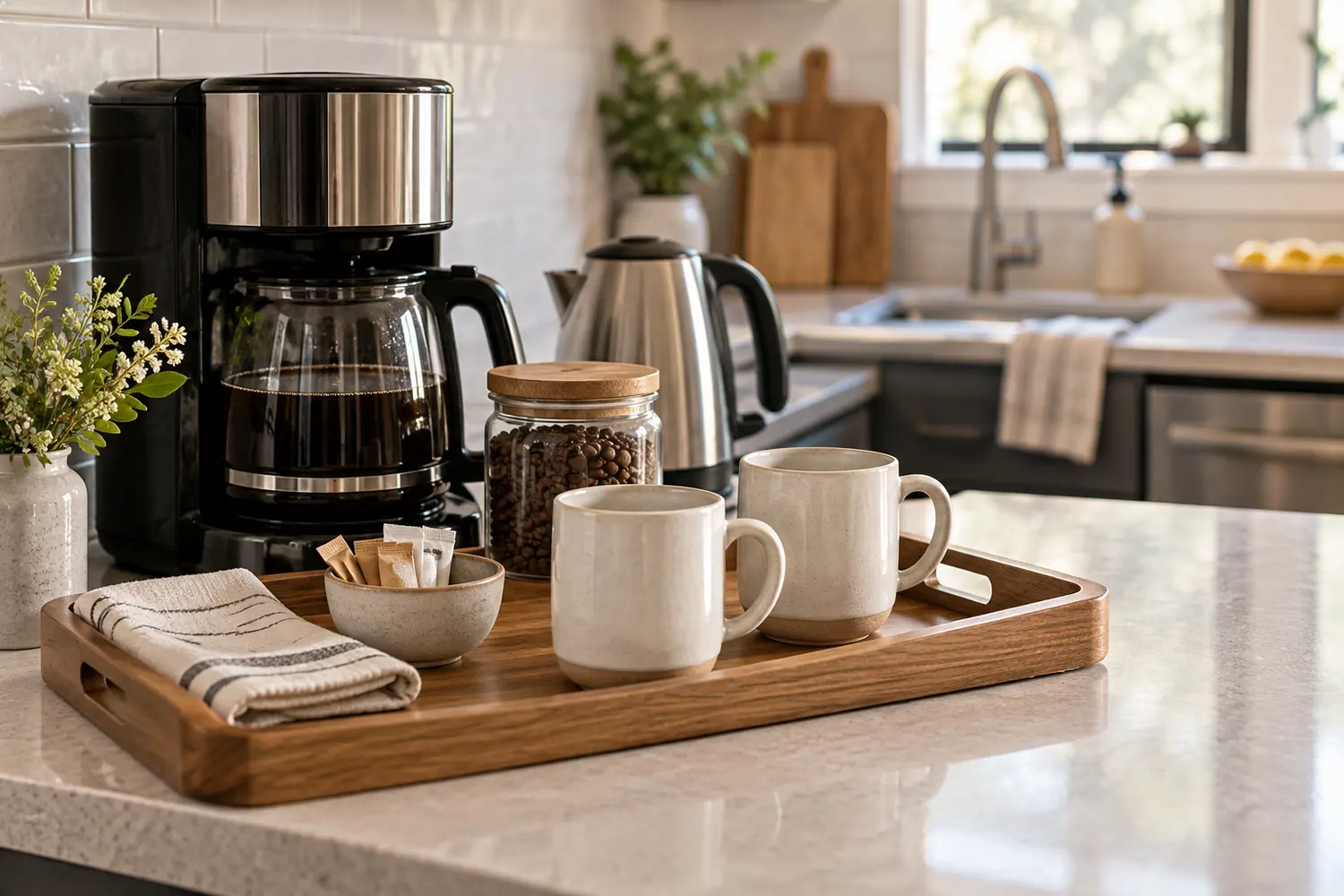
Clear the sink, drying rack and most appliances from the counter. Photograph the main work area, dining connection and important appliances. If guests receive a coffee setup, cookware or a welcome basket, include one closer image after the wider kitchen view. Do not use decorative food that will not be present for the guest unless the caption makes that clear.
9. Make Every Bedroom Look Calm and Accurate
Use clean, coordinated linens, smooth visible wrinkles and align bedside tables and lamps. Remove charging cables and personal items. Photograph from the doorway or a corner that shows the bed size, window and usable floor area without hiding access around the bed. If a bedroom includes a desk, ensuite or special view, add a second photograph for that feature.

10. Treat the Bathroom Like a Hotel Room
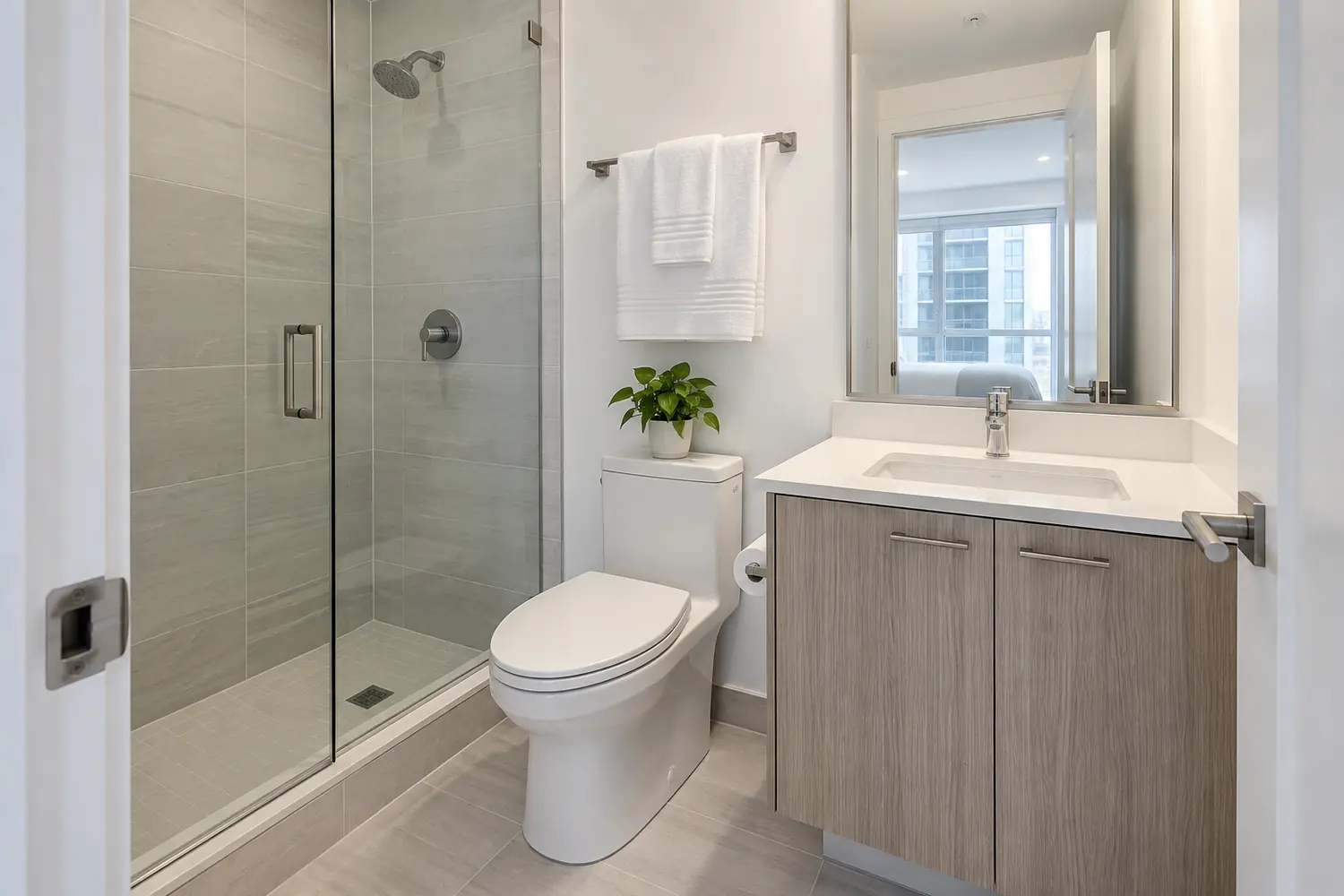
Close the toilet lid, remove personal products, polish the mirror and shower glass and hang coordinated towels. Check the camera position carefully so you and the tripod do not appear in reflections. A single clean wide view is often enough for a compact bathroom; add a second photograph only for a separate tub, accessible feature or premium finish.
11. Photograph Amenities Guests Actually Receive
Photograph useful amenities such as a dedicated workspace, coffee station, crib, EV charger, parking space, washer and dryer, gym, pool or hot tub. Show accessibility features clearly when they are part of the listing. A detail photograph works best after a wider image establishes where the amenity is located.
12. Include the Exterior and Arrival Experience
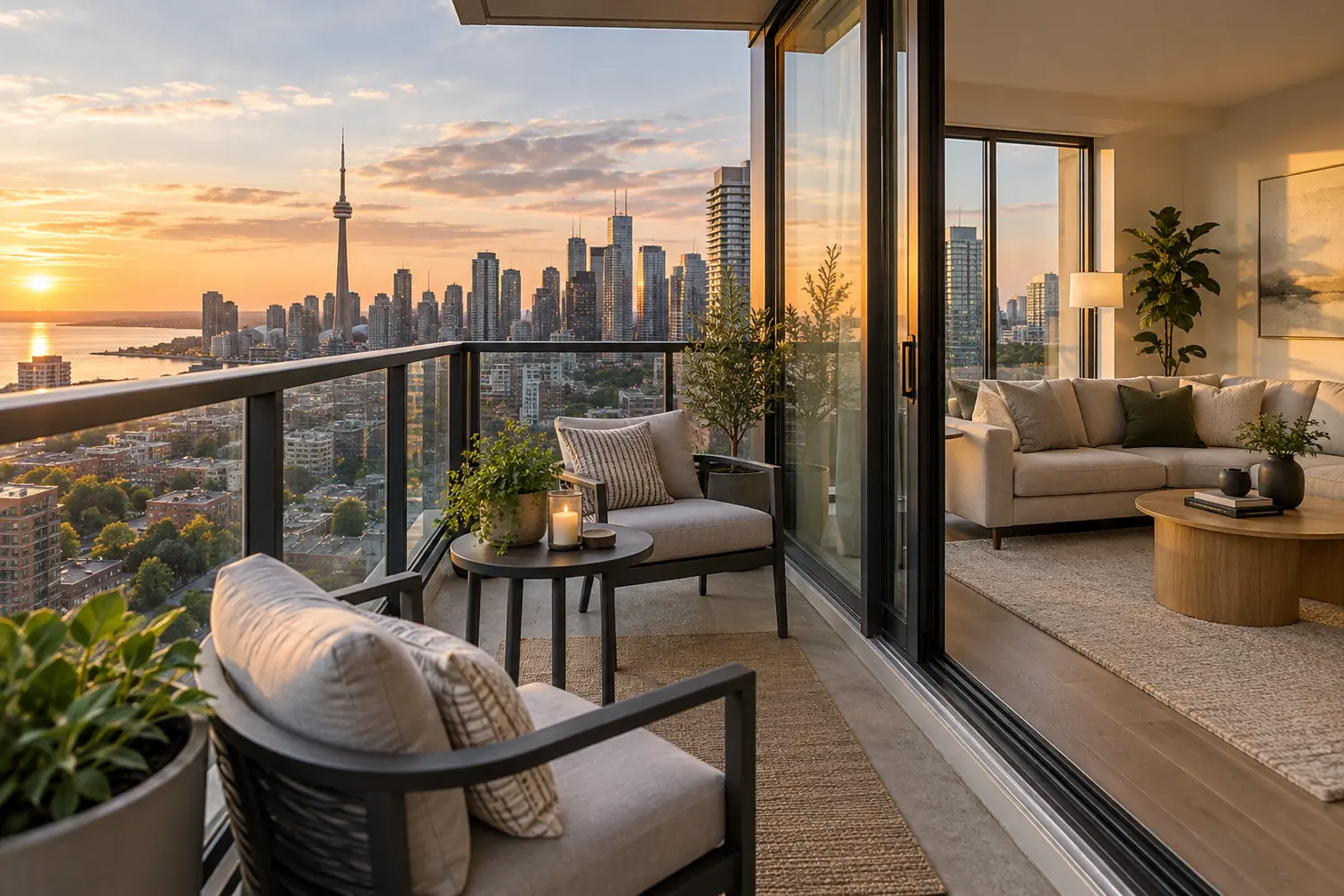
Show the building or house entrance, path, parking arrangement and private outdoor space when relevant. For a condo, photograph only shared amenities you are permitted to market and guests are allowed to use. Cottage and destination-rental galleries should explain the relationship between the building, deck, water, road and surrounding landscape. Drone photography can help with larger or scenic properties when weather, airspace and site conditions allow.
Choose a Strong Cover Photo and Build a Logical Gallery
13. Select a Cover Image With One Clear Selling Point
The cover photograph has to remain understandable as a small mobile thumbnail. Choose the space or amenity that best explains why a guest would open the listing: a bright living room, skyline balcony, lakefront deck, distinctive bedroom or another genuine feature. Avoid a busy collage, an extreme close-up or a view that needs a long caption to make sense.
14. Arrange Photos Like a Walk Through the Property
Open with the strongest image, then move through the living area, kitchen, bedrooms, bathrooms, amenities and exterior in a sequence that feels natural. Avoid placing several nearly identical angles beside one another. Airbnb’s Photo Tour can group images by room; review the automated result and correct any photograph assigned to the wrong space.
Add concise captions when a photograph needs context. Mention the bed size, floor level, workspace equipment, parking access or distance between an amenity and the unit. Captions should clarify what the image cannot show—not repeat “living room” under an obvious living-room photograph.
15. Edit Consistently Without Misleading Guests
Straighten the frame and make moderate adjustments to exposure, highlights, shadows and white balance. Keep wall, floor and fabric colours close to reality. Do not remove permanent flaws, replace a window view, enlarge a room or add amenities that are not present. A consistent gallery builds trust because every room appears to belong to the same property.
Recommended Phone Settings for Airbnb Photos
- Clean the camera lens before every session.
- Use the rear camera and the phone’s standard lens whenever the room allows.
- Turn on the grid and level indicator.
- Keep flash off and use a tripod or stable support in darker rooms.
- Avoid digital zoom; move closer for detail photographs.
- Use HDR carefully when a window is much brighter than the interior.
- Capture the highest available resolution and keep an original backup.
- Check every photograph at full size for blur, reflections and crooked lines.
Common Airbnb Photography Mistakes
- Using only vertical images or screenshots from social media.
- Photographing before cleaning and staging are finished.
- Mixing daylight with bulbs of several different colour temperatures.
- Using an ultra-wide lens so aggressively that furniture and rooms look stretched.
- Uploading ten similar angles while missing an important bedroom or amenity.
- Choosing a cover photograph that becomes unclear when cropped on a phone.
- Over-editing windows, colours or room size and creating unrealistic expectations.
- Leaving people, pets or identifying documents visible when they are not part of the listing.
When Should an Airbnb Host Hire a Professional Photographer?
A careful phone shoot can work for a simple, evenly lit space. Professional help becomes more valuable when the property has dark interiors, bright window views, compact rooms, reflective finishes, premium design, multiple amenities or outdoor features that are difficult to explain in one frame. It is also useful when you need a consistent gallery, fast delivery, video, vertical social content or eligible drone coverage.
Green Day Photography provides Airbnb photography in Toronto and the GTA for hosts, co-hosts and property managers. Current Airbnb photography packages start from $180. Hosts comparing property sizes and add-ons can also read the 2026 Toronto Airbnb photography cost guide.
Airbnb Photography Tips for Toronto and Ontario Rentals
Toronto condos often combine smaller rooms with large, bright windows, so accurate wide compositions and controlled highlights matter. Confirm building rules before photographing lobbies, gyms, rooftop terraces or pools. Remove unit numbers, access codes, licence documents and other private information from the frame.
For cottages and seasonal properties, update photographs when the guest experience changes significantly. Summer water access, autumn colour and winter access conditions should not be represented by the same gallery if important amenities are unavailable in another season. Our guide to seasonal Airbnb photography explains when a refresh may be useful.
We also photograph destination rentals across Ontario, including Airbnb properties in Niagara Falls, Barrie vacation rentals and Collingwood and Blue Mountain rentals.
Frequently Asked Questions
Can I take good Airbnb photos with a phone?
Yes. A recent phone can produce useful listing photographs when the property is clean, the light is controlled and the device is held level. Technique and preparation matter more than using every automatic filter or the widest available lens.
Should Airbnb photos be horizontal or vertical?
Use horizontal photographs for the main listing gallery. They fit Airbnb’s landscape presentation more naturally and provide enough width to explain a room. Vertical images may still be useful for separate social-media content.
What resolution should Airbnb photos be?
Airbnb’s current host guidance recommends at least 1200 × 800 pixels. Upload clean, high-resolution originals rather than screenshots or images repeatedly downloaded from messaging and social-media apps.
How many photos should I add to my Airbnb listing?
There is no universal number for every property. Include enough photographs to show every guest-accessible room, major amenity, exterior and important connection between spaces. Remove repetitive angles that add no new information.
Should I use the same photos all year?
Keep the gallery current. Replace images after renovations, furniture changes or major amenity updates. Seasonal exterior photographs should accurately represent what guests will experience during the period being promoted.
Need Professional Airbnb Photography in Toronto?
Send the property address, approximate size, number of bedrooms and preferred date. We will recommend suitable photography, video or drone coverage and confirm availability before you book.
Add a Comment